History & Versions
Every time you save, Ilena keeps a full copy of the work as a new version. There is no limit on the number of versions a work can have, and nothing is ever overwritten.
Ilena has two different places to look at that history, reached two different ways, and only one of them can compare versions side by side.
History, from the Work menu
With a work open, choose Work → History (Cmd/Ctrl+H), or the History icon in the toolbar.
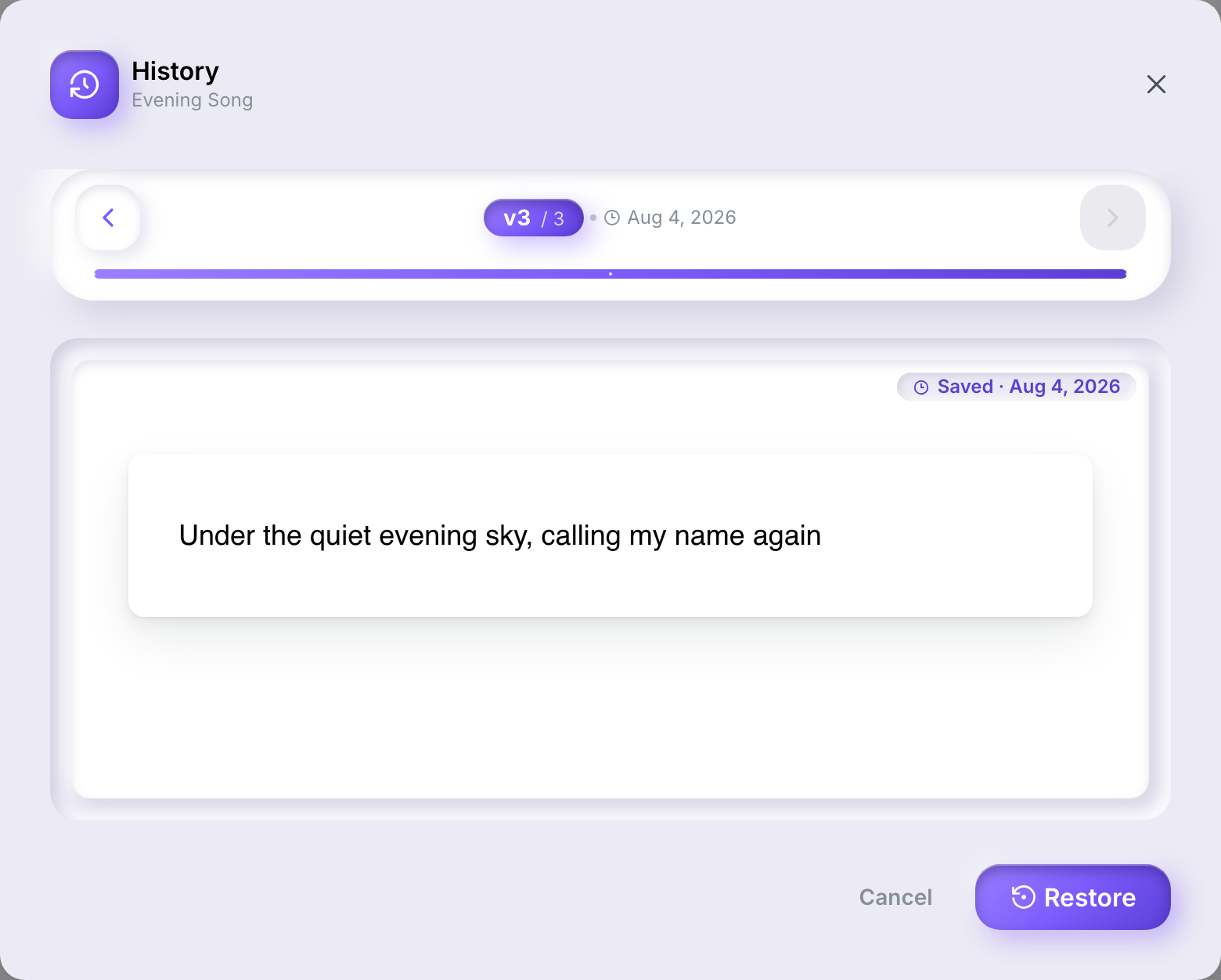
This opens one version at a time, most recent first, with the save date shown above it:
- ◀ / ▶ — step to the previous or next version.
- Restore — load this version's content into the editor.
- Cancel — close without changing anything.
Restoring doesn't save by itself. The restored content becomes your current working copy — press Cmd/Ctrl+S to commit it as a new version. Since nothing is saved automatically, restoring is itself reversible: if you change your mind, open History again before saving.
Version history, from the workspace tree
Right-click a work in the workspace tree and choose History. This opens a panel on the right listing every version, newest first, each with its save date and its own Compare and Restore buttons.
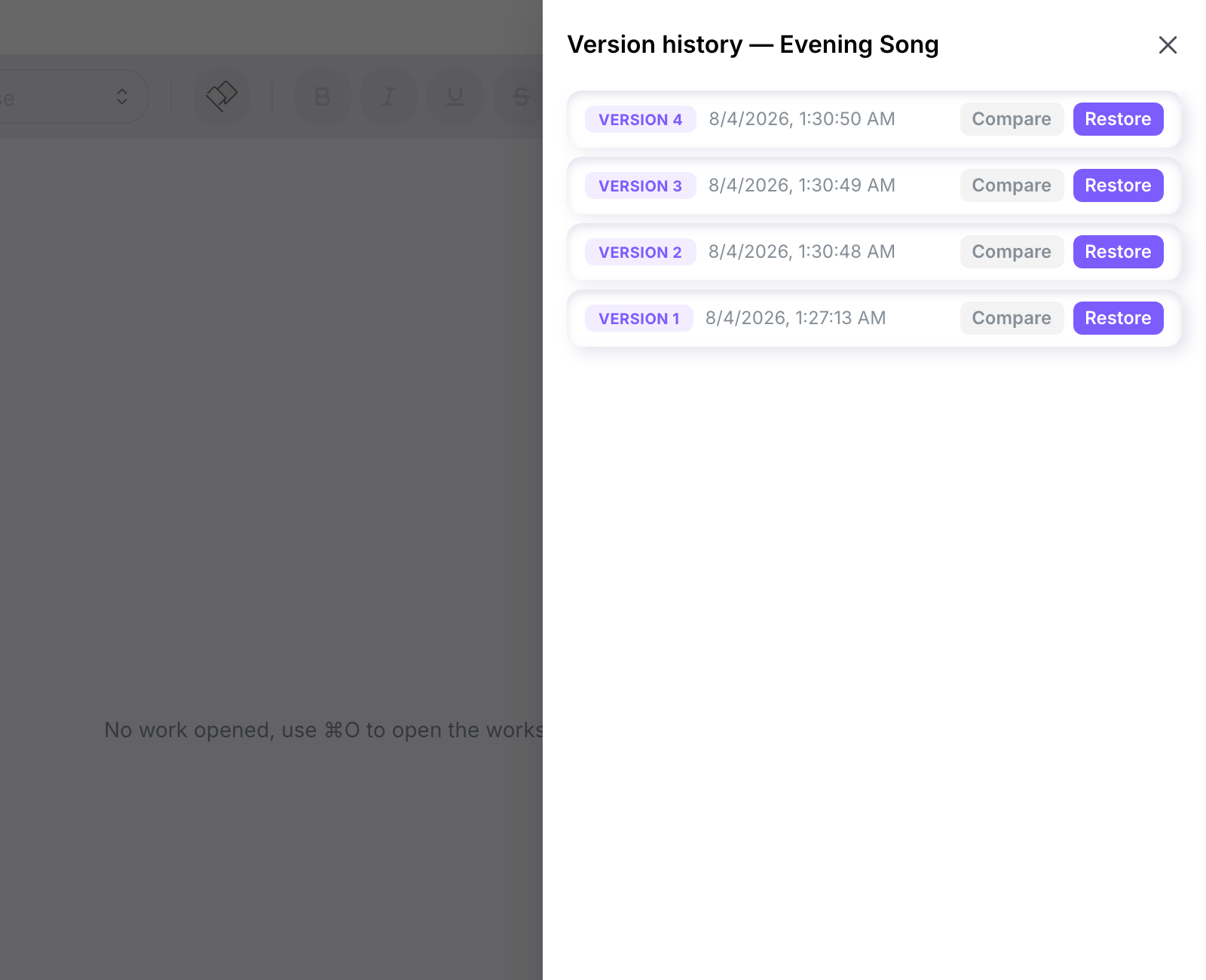
Restore here works the same way as in the History dialog — it loads that version into the editor, and you still need to save to make it the current one.
Comparing two versions
Click Compare on one version, then Compare on a second. Both open side by side under Comparing versions, each labelled with its version number:
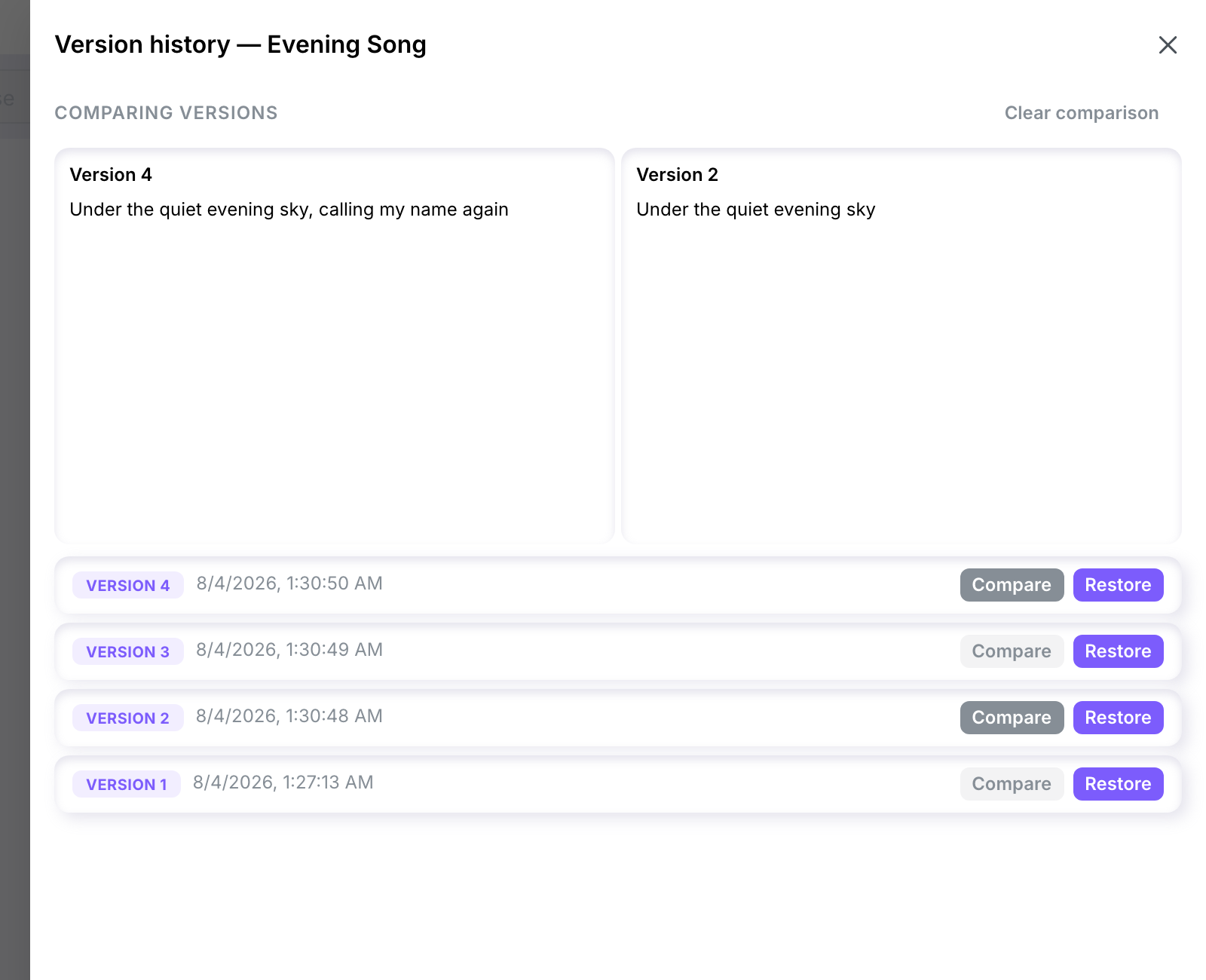
Click Clear comparison to close the side-by-side view and go back to the plain list.
What's stored in a version
Each version keeps the work's full text content, its line types, and the emotion metadata current at the time of that save. Marks (highlighted text) aren't stored as a separate layer — they travel with the content itself.
What isn't here yet
- Named checkpoints — tagging a specific version so it's easier to find later.
- Deleting old versions — every save stays forever today. If you need a version purged for a sensitive work, contact support.