Dictionary
Look up a word without leaving the canvas — definitions, synonyms, antonyms, and rhymes, in a drawer that opens beside your text.
Opening the dictionary
- Press Cmd/Ctrl+D.
- Tools → Dictionary in the menu bar.
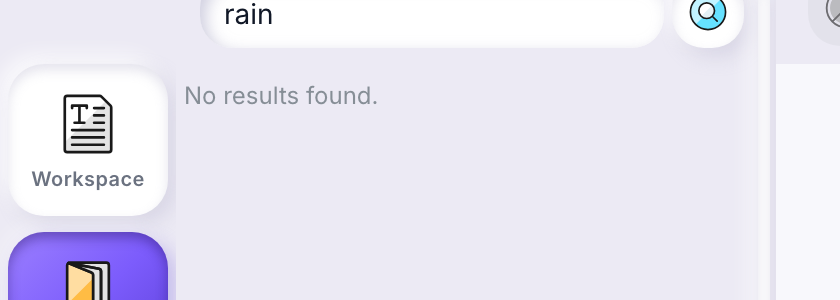
- Click Dictionary in the tool palette on the left edge of the editor (the only two entries there are Workspace and Dictionary).
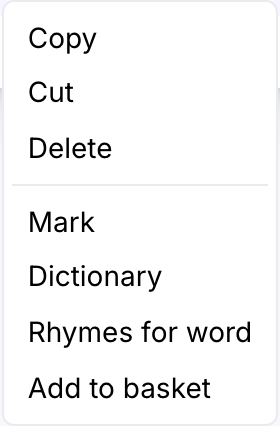
- Select a word in the canvas, right-click it, and choose Dictionary — the drawer opens with that word already searched.
What you get back
A lookup returns:
- Definition — one or more senses, each with usage examples where the dictionary has them.
- Synonyms — similar-meaning words. Click one to look it up in turn.
- Antonyms — opposite-meaning words, same behavior.
- Rhymes — every rhyme the dictionary found, as one list. A word that rhymes in more than one way carries all its matching categories as small labels underneath it, strongest match first.
The six rhyme categories
Rhymes aren't sorted into "good" and "bad" — they're sorted into six kinds, so you can pick the one that fits the line you're writing:
| Category | What it means for your lyric |
|---|---|
| Exact | A full rhyme: the stressed vowel and everything after it match exactly. The safest choice. |
| Rich | Goes a step further than exact — the sound just before the stressed vowel matches too, so the rhyme lands harder. |
| Near | Close but not identical. Useful when an exact rhyme would force an awkward word choice. |
| Poor | A loose echo between the words — a weak rhyme, but sometimes the only one that fits the meaning. |
| Assonant | The vowel sounds match; the consonants around them don't. |
| Consonant | The consonant sounds match; the vowel between them doesn't. |
Two ways to reach rhymes
The Dictionary drawer above is one way. There's a second, faster one built for when you already have a word on the page and want an in-place swap.
- Select a word in the canvas (double-click it, or drag across it).
- Right-click and choose Rhymes for word.
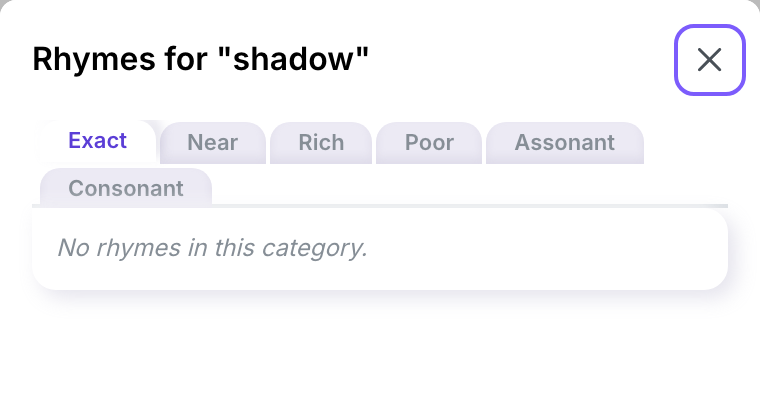
A panel slides in with the same six categories as tabs. Click a rhyme and it replaces your selected word right where it was — the panel stays open afterward, so you can pick again if the first swap doesn't sit right. Close it with the × in its header when you're done.
This panel and the Dictionary drawer share the same rhyme data, reached two different ways: the drawer for browsing everything about a word, the panel for a quick word-for-word swap without breaking your flow.
Language
The dictionary follows the language of the work you have open (English, French, or Spanish). Without an open work, it follows your interface language instead.
When a lookup fails
An empty result shows No results found. A failed request shows a Search failed. Please try again. notice in the corner — try the search again in a moment.
Saving a word for later
The same context menu that opens the dictionary also has Add to basket, for saving a word or rhyme you're not ready to use yet rather than looking it up. See Ideas basket.