What Ilena proposesWhat Ilena proposes
A suggestion continues the line you are writing, after your last word; you keep it, take another, or write on without it.
Suggestions are written anew each time: asking twice on the same line can give different endings. The two suggestion pictures on this page come from requests other than the example above.
Turn inspiration on or offTurn inspiration on or off
- Open Ilena → Settings, or select the gear at the right of the toolbar.
- Select the Tools tab.
- Turn Automatic inspiration (Auto-suggest line endings as you type) and Manual inspiration (Ask for a suggestion with Ctrl + Space) on or off, then select Ok.
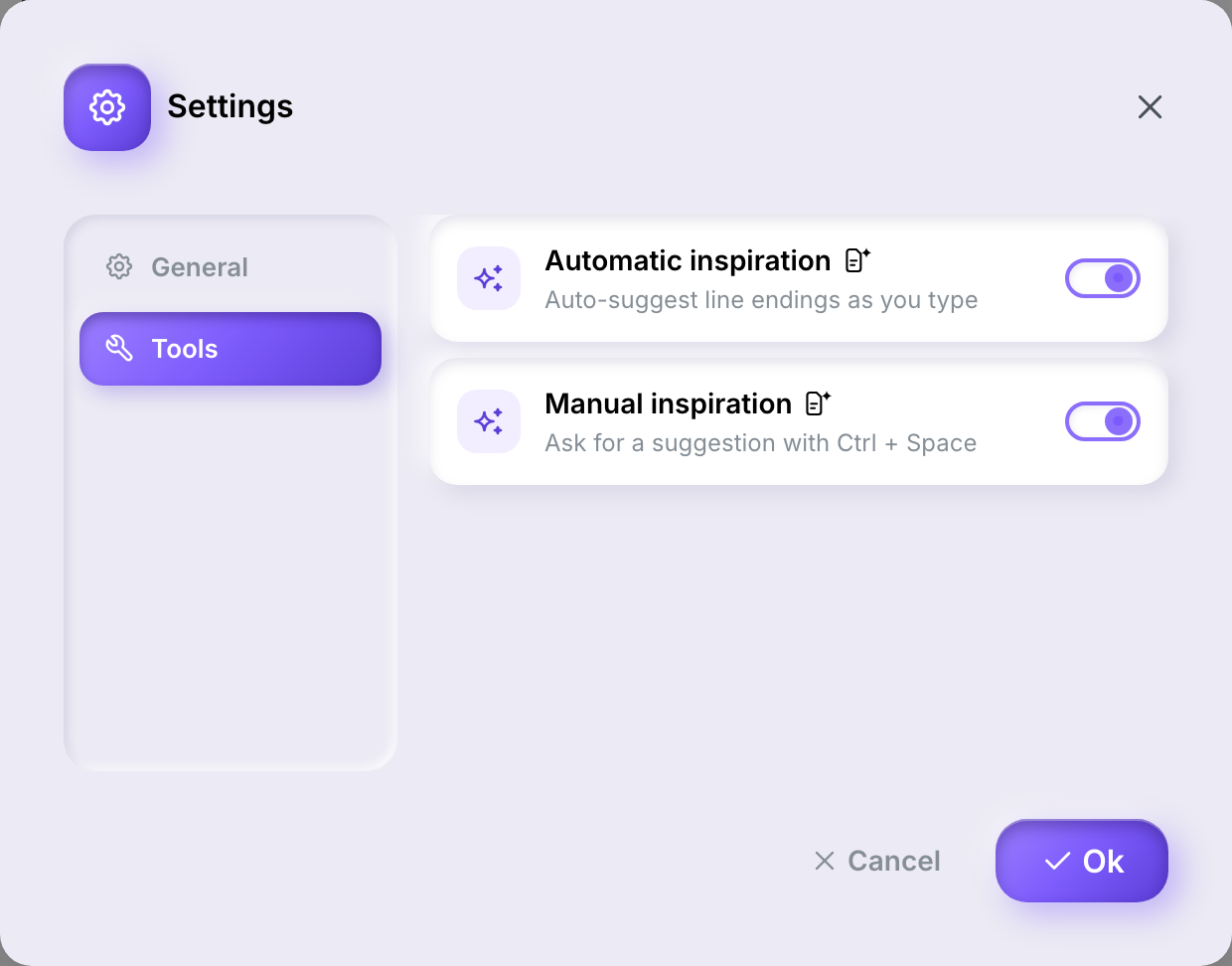
The two switches are independent: with automatic inspiration off, manual inspiration still works. Each carries a small icon named Generated content. On a new account both are on. Your choice is kept when you come back to the editor.
Accept or dismiss an automatic suggestionAccept or dismiss an automatic suggestion
- Write on a verse line and stop typing with the cursor at the end of the line.
- After a short pause, a continuation appears after the cursor in grey italics.
- Press Tab to add it to your line, or Esc to remove it.

No suggestion appears while the cursor is in the middle of a line, on an empty line, or on a line whose type is not Verse.
Ask for a list of suggestionsAsk for a list of suggestions
- Place the cursor at the end of a verse line that already has text, with nothing selected.
- Press Ctrl + Space — the Control key, on a Mac too. A list opens with Writing a few lines… while Ilena prepares its suggestions.
- Several endings appear. Move through them with ↑ and ↓; the list reminds you: ↑↓ choose · ↵ or ⇥ accept · Esc dismiss.
- Press Enter or Tab to accept the highlighted ending, or Esc to close the list.
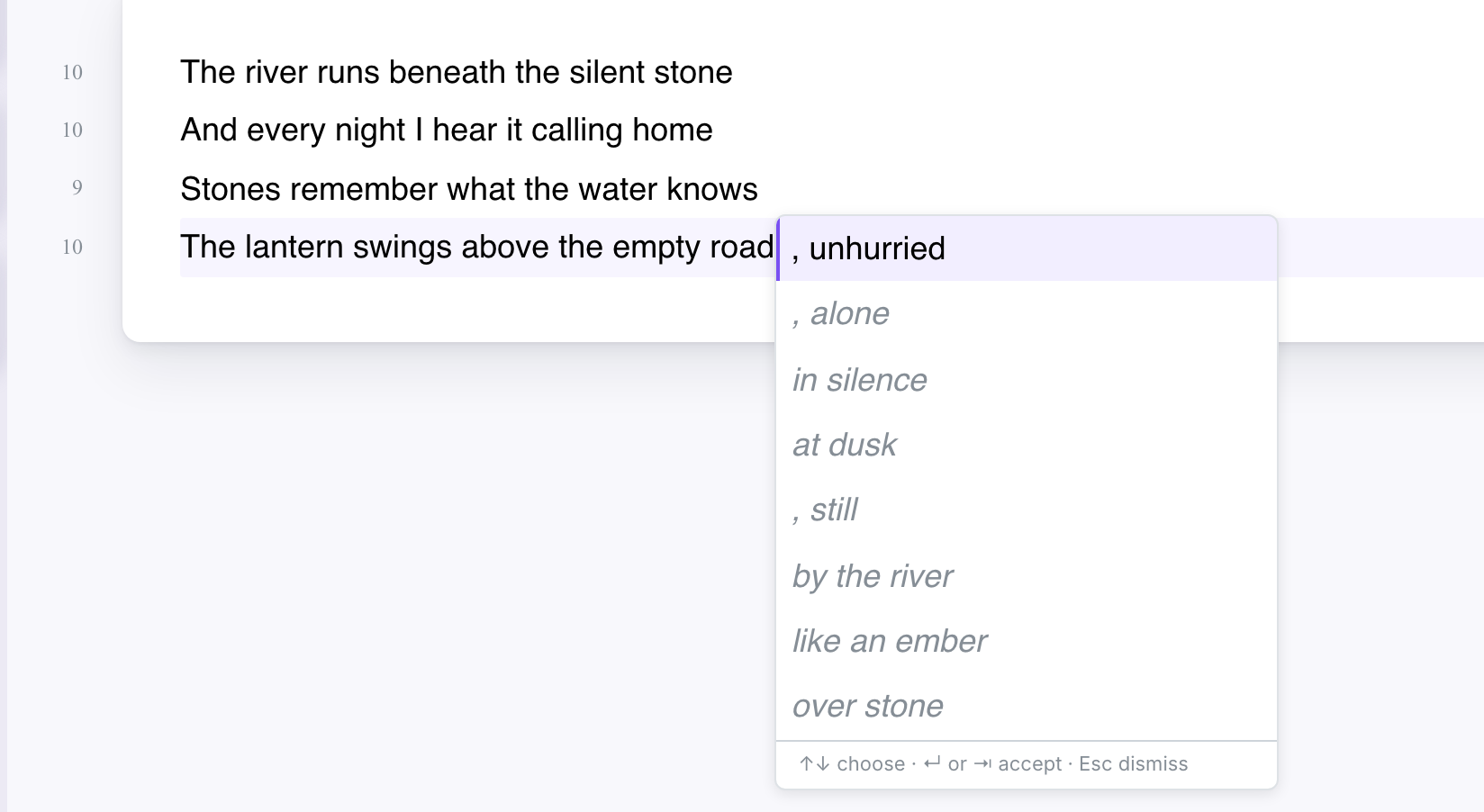
The accepted ending is added after the text you had written on the line. To go back, press ⌘ + Z.
Nothing happens if the cursor is in the middle of the line, if text is selected, or if the line is not a Verse line.