Settings

This page covers what you can actually change about how Ilena behaves — the real Settings dialog, nothing more.

Opening SettingsDirect link to Opening Settings

Click the gear icon on the right side of the toolbar, or choose Ilena → Settings from the top menu.

The account page has the same entry under its own Ilena menu, and it opens the same window — one dialog shared by both, not two that resemble each other.

The dialog has two tabs, General and Tools, switched from the list on the left. It always opens on General, and moving between the tabs keeps your unsaved changes: Ok saves everything you changed on both.

GeneralDirect link to General

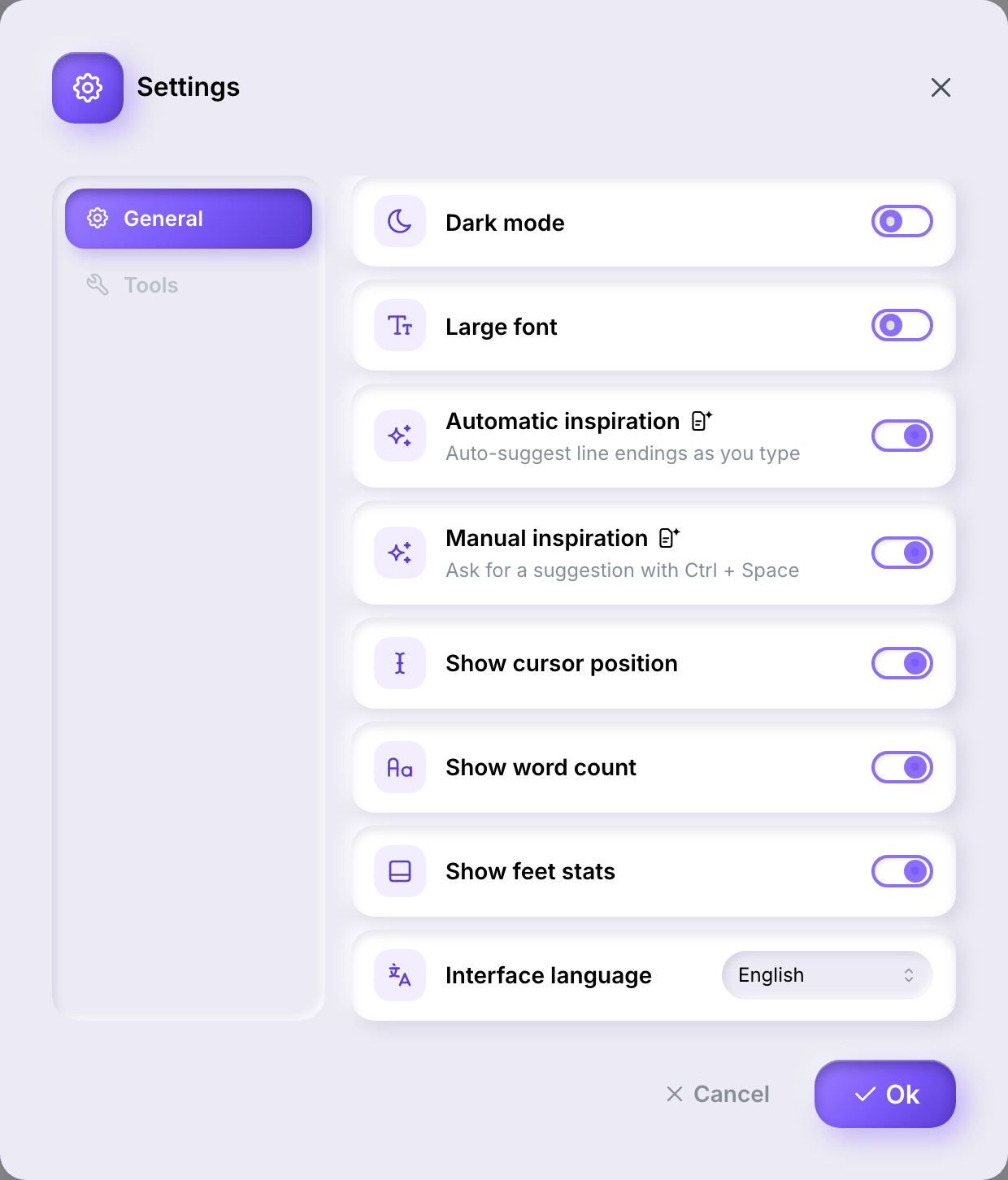
Appearance, the status bar and the interface language live on the General tab:

The Settings dialog's General tab, listing dark mode, large font, the three status-bar toggles, and the interface language selector
  • Dark mode — switches the editor's appearance.
  • Large font — increases the editor's text size.
  • Show cursor position, Show word count, Show feet stats — each toggles one piece of the status bar at the bottom of the editor.
  • Interface language — the language of the app itself (English, French, or Spanish). This is separate from a work's own writing language, set on the work itself.

The three status-bar toggles appear only in the editor's window. They govern the segments of the editor's status bar, and the account page has no status bar to govern; opened from there, General shows dark mode, large font and the interface language. Saving from the account window leaves your status-bar choices as they were — it leaves those three out of what it sends rather than sending them off.

Changes apply once you click OkCancel discards them, on both tabs at once.

ToolsDirect link to Tools

The Tools tab holds the two inspiration settings, and it is identical in both windows — these follow the author, not the screen they were set on:

The Settings dialog's Tools tab, listing automatic and manual inspiration, each with a generated-content badge
  • Automatic inspiration — suggests line endings as you type. See Inspiration.
  • Manual inspiration — ask for a suggestion with Ctrl+Space. See Inspiration.

The small icon next to each of them is the generated-content badge: it marks that turning either setting on means Ilena writes suggested content for you, rather than just analysing what you've already written.

Your accountDirect link to Your account

Settings only covers how the editor looks and behaves. Your account itself lives on its own page, outside the editor, reachable from the Application menu in the site's own header once you're signed in — Ilena appears there too, alongside Account — or directly at ilena.app/account/. It's a single page with four sections you switch between — Password, Sessions, Subscription, Billing — without a separate address for each, so reloading the page always brings you back to Password. It follows the same light or dark preference set in Settings.

Anyone signed in can open it, whether or not their account currently opens the editor.

PasswordDirect link to Password

You give your current password and the new one twice. The new one needs 8 to 20 characters, with an upper case letter, a lower case letter, a digit and a special character.

Changing it signs you out everywhere else — this screen stays open. That is deliberate: the usual reason to change a password is that someone else may know it.

The account page's Password section, with fields for the current password, the new one and its repeat, the length and character rule under the new-password field, and a Change my password button

If your account signs in with Google, this section shows a sentence saying so instead of the form — see If your account signs in with Google.

SessionsDirect link to Sessions

Every device currently signed in, with a Sign out everywhere else button. See Seeing and ending your active sessions.

SubscriptionDirect link to Subscription

States your plan and billing cycle in words — "Solo, billed monthly" — and what happens next:

The account page's Subscription section, showing Solo billed monthly, the next billing date, a Pay for the year instead card with a Switch to yearly billing button, and a Cancel my subscription button
  • Next billing date, or, if you've cancelled, the date access stops — with a Keep my subscription button to undo that before it happens.
  • Cancel my subscription ends it at the close of the current paid period; you keep access until then, and can reactivate any time before it lapses.
  • If you're on Solo, billed monthly, a Pay for the year instead card offers the annual cycle at $90 instead of $9/month — about 17% less. It only appears for a monthly Solo subscription; a yearly one, and Studio (which has no annual price), don't see it. Switching doesn't restart the 30-day trial — that only applies at signup.
  • If your account is entitled without a paid plan of its own — a demo account, or a member entitled through a group's administrator — this section says so instead, with no next payment date.

BillingDirect link to Billing

The account page's Billing section, showing the payment method label with an Update button, and an invoices table listing date, total and status with a View link
  • Payment method — shown as a label you'd recognize ("Visa ···· 4242", "Link by Stripe"), never just digits. Update (or Add, if there's none on file) opens Stripe's own billing portal in a new tab to change it or your billing address — Ilena itself never asks for a card number, in any state. If a payment failed, your account is frozen and the editor stays closed until the outstanding invoice is settled; that invoice leads the section with a Settle link straight to it.
  • Invoices — date, total and status, each linking to the full document on Stripe.

What is still not available in the appDirect link to What is still not available in the app

  • Changing your email address. Write to [email protected] — this is no longer self-serve.
  • Switching to a different plan (Solo to Studio, once Studio ships). The only switch available today is Solo monthly to Solo annual, above.
  • Deleting your account.
  • Exporting your data. The page at /gdpr/ exists but says so itself: it is being built and nothing there works yet.

For those, write to [email protected].

The editor's Ilena menu no longer carries an Invoicing item — it holds About, Settings and Quit. Billing lives on this account screen, and nowhere else.