Sign inSign in
- Select Sign In in the header of the Ilena site.
- Enter your email address and your password, then select Sign in. If you signed up with Google, select Continue with Google instead.
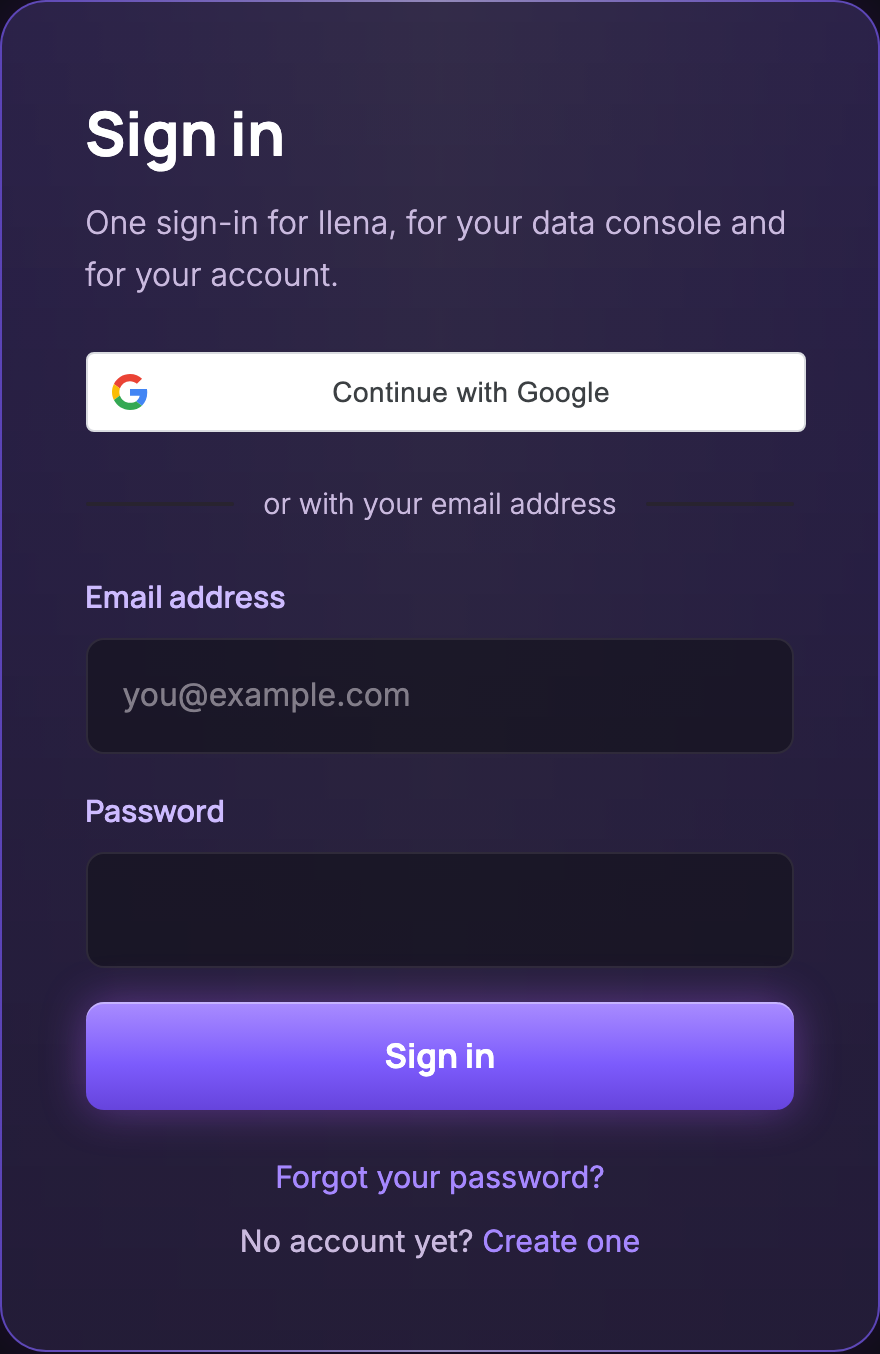
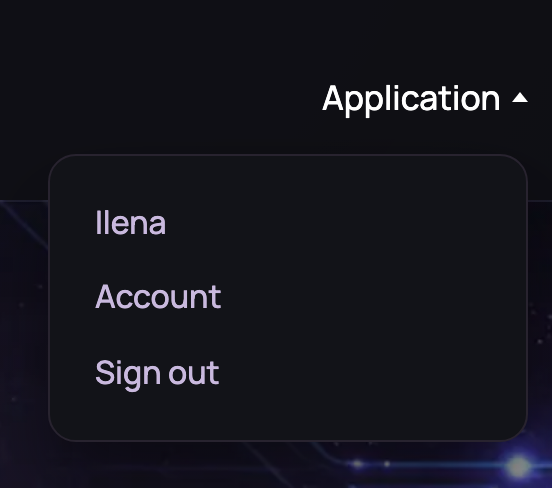
You come back to the page you signed in from: select Sign In in the header of the FAQ, for example, and once signed in you are back on the FAQ. If you opened the sign-in page directly, you land on the site’s home page. The header now shows an Application menu with three entries: Ilena opens the editor, Account opens your account page, and Sign out signs you out. On the home page, the laptop screen also shows a large Open Ilena button that opens the editor, with an Account link under it. If the editor is not available to you, or your window is smaller than 1024 × 700, Account is the main button instead.
If Ilena refuses to sign you in, note the message on the page and see Fix common problems.
Sign outSign out
Sign out when you leave a computer that others use.
- Open the Application menu in the header of the Ilena site.
- Select Sign out.
The header shows Sign In again, and opening the editor now takes you to the sign-in page.
Only this browser is signed out. If you are signed in elsewhere — another computer, another browser — those sessions stay open; to end them too, see End every other session.
Reset a forgotten passwordReset a forgotten password
- On the sign-in page, select Forgot your password?
- Enter the address you sign in with, then select Send the link. The page answers If we know this address, an email is on its way. The link is valid for one hour. Check your spam folder. It gives this answer for any address, but the email is sent only if the address belongs to an Ilena account. The email field and the Send the link button are then gone: Back to sign-in is the only action left on the page.
- Open the email Reset your Ilena password and select Reset my password.
- On the Choose a new password page, type your new password in New password. As you type, the page shows each part of the rule with its own state, met or not yet met: From 8 to 32 characters, An uppercase letter, A lowercase letter, A digit, A special character. Type the same password again in Confirm the new password; the page then also shows The two passwords match or The two passwords differ. Each state is shown with an icon and with words, not by colour alone. Save the new password stays disabled until every part of the rule is met and the two fields match; select it once it is enabled.
- The page confirms: Your password is changed. Every other session has been signed out; sign in again with the new password. Select Go to sign-in and sign in with your new password.
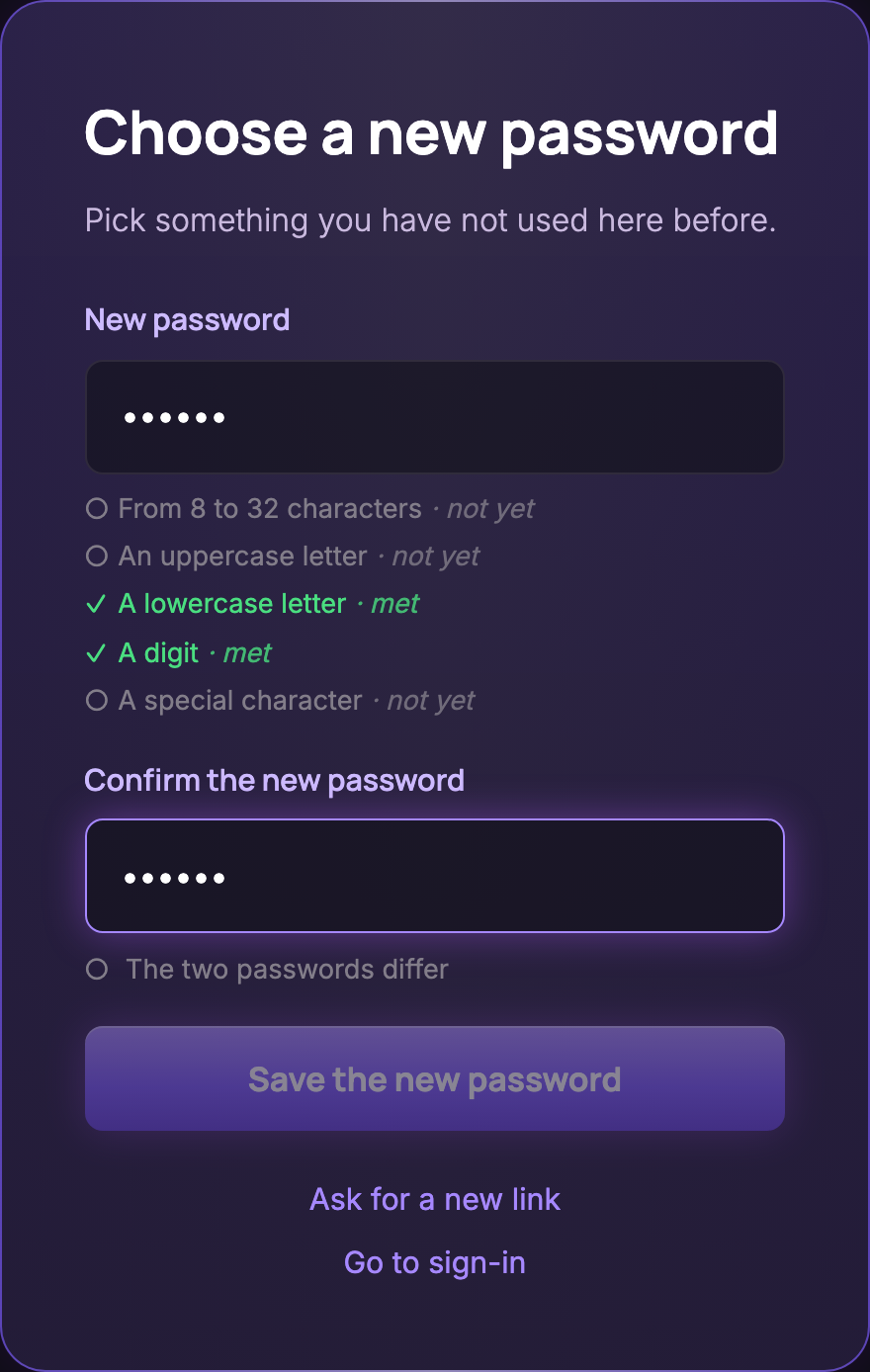
The new password needs 8 to 32 characters, with an uppercase letter, a lowercase letter, a digit and a special character. A password you have used recently can be refused even when it meets every part shown above. Once the change is made, your old password no longer works, and your other sessions leave the list in the Sessions section of your account page; Manage your account: password, sessions and subscription explains what that means on another device.
If the link or the new password is refused, see Fix common problems. To change a password you still know, use your account page: see Manage your account: password, sessions and subscription.