Seeing and ending your active sessions
This page covers the Sessions section of your account page. Every time you sign in, that's a session; this is where you see all of them and end one you don't recognize.
Opening your account areaDirect link to Opening your account area
Once signed in, go to your account page and choose the Sessions section.
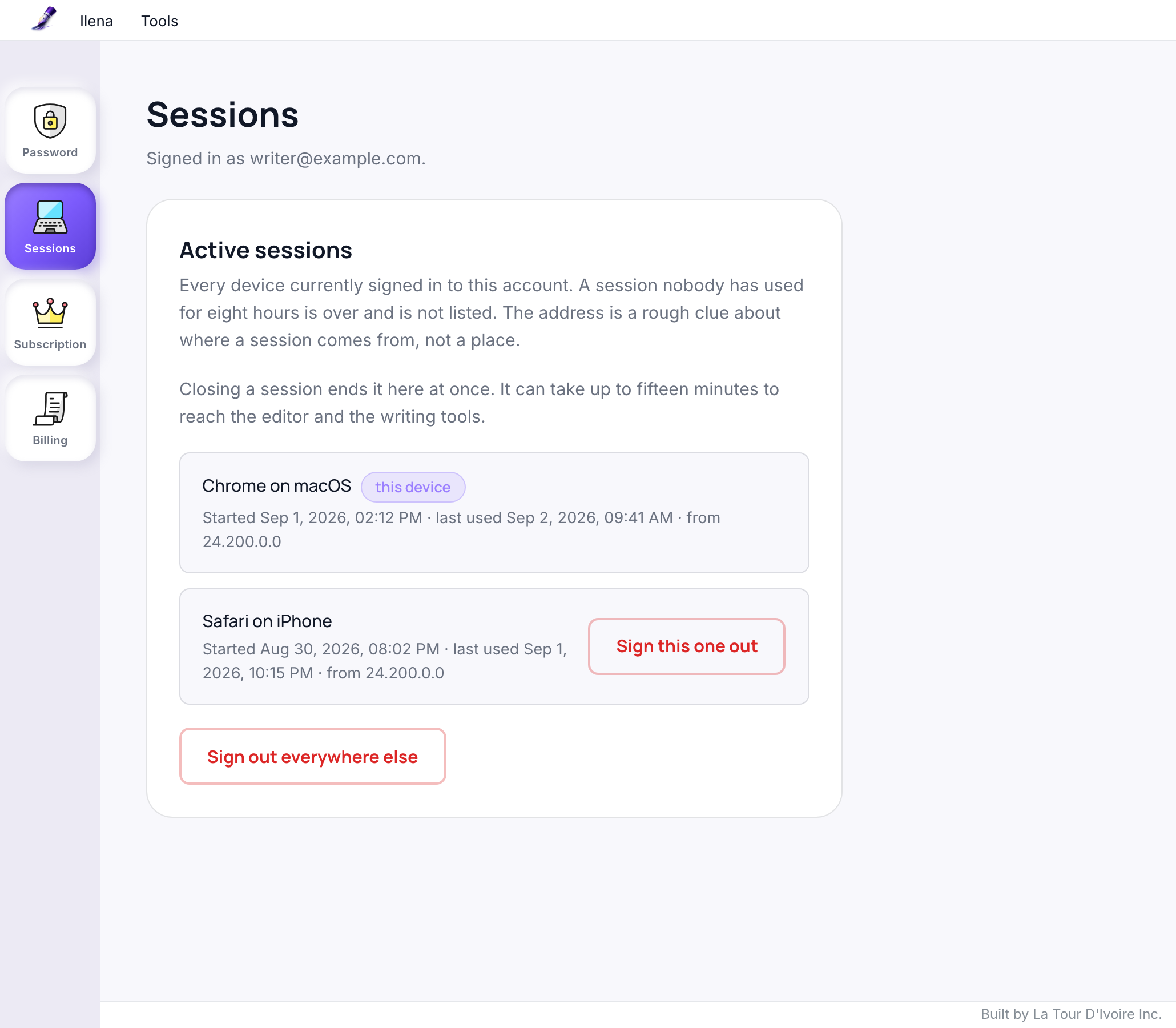
Reading the listDirect link to Reading the list
Each entry shows:
- Which device signed in — the browser and the system it runs on, written as "Chrome on macOS". A session whose browser said nothing recognizable shows as "Unknown device".
- When it started, and when it was last used, in your own time zone (the one set on your account, not your browser's).
- An approximate address — a rough clue about where the session comes from, not a precise location.
- This device, marking the session you're currently using, so you don't end your own by mistake.
A session that has expired on its own no longer appears — this list is only what's currently active. A session nobody has used for eight hours has ended too, and is not listed.
Ending a sessionDirect link to Ending a session
- Sign this one out, on any entry but your own, ends that specific session. The entry leaves the list straight away.
- Sign out everywhere else, at the bottom of the list, ends every session except the one you're using now — the button for "I think someone else is signed in," without having to identify which entry is the intruder. It asks you to confirm first, in the page itself; leaving the question alone changes nothing.
Closing a session ends it here at once. It can take up to fifteen minutes to reach the editor and the writing tools, so whoever was signed in there may still be able to work until then.