Signing up and choosing a plan
This page walks through what happens between clicking Get started on www.ilena.app and landing in the editor: the account you create, the plan you choose, and how payment and email verification fit together.
The plans
Ilena currently offers one plan you can buy, and one that's coming later:
- Solo — to write alone, at your own pace. Personal works, rhyme and word exploration, syllable and meter analysis, line suggestions, and version history.
- Studio — to write with a band, a team, or a collective. Shown in the signup flow labelled Coming soon and can't be selected yet.
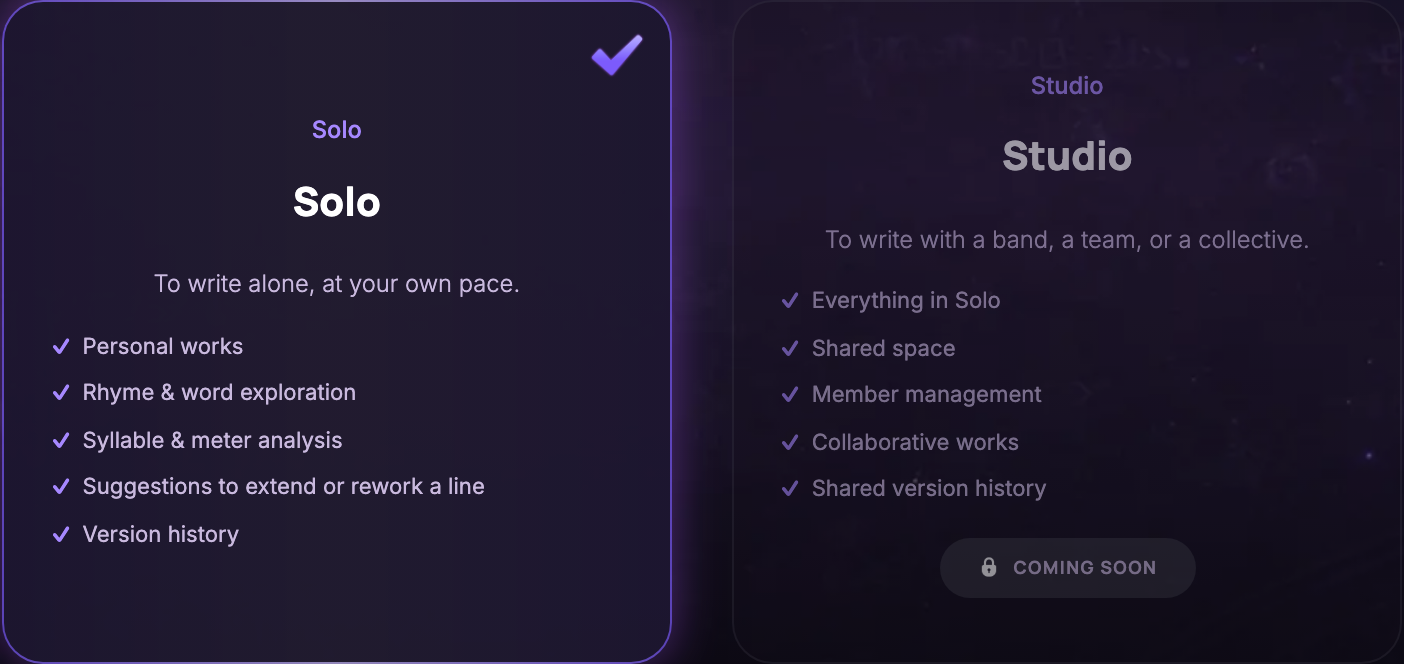
There is no free tier and no trial account you can use without paying — Solo requires an active subscription (see below), though the annual cycle includes a 30-day free trial before you're charged.
Creating your account
Clicking Get started opens the signup flow, a short series of steps:
- Before you begin — accept the Terms of Use and Privacy Policy (required), and optionally opt in to product news by email. Both documents load their current version before their checkboxes become selectable.
- Create your account — a display name, email, and password, or continue with Google where it's configured. Your password needs 8–20 characters, with an uppercase letter, a lowercase letter, a digit, and a special character.
- Choose your writing space — pick Solo.
- A handful of quick questions about what you write, your experience, the themes you explore, and your style. Ilena uses your answers to make its suggestions more relevant — there's no wrong answer, and every question is optional in spirit but expects a few words to continue.
- Prepare your writing space — set your main writing language, timezone, and a few starting preferences (dark appearance, larger text, automatic and manual inspiration). Everything here is a starting point: change any of it later from Settings.
Choosing your billing cycle
Next you choose how Solo is billed:
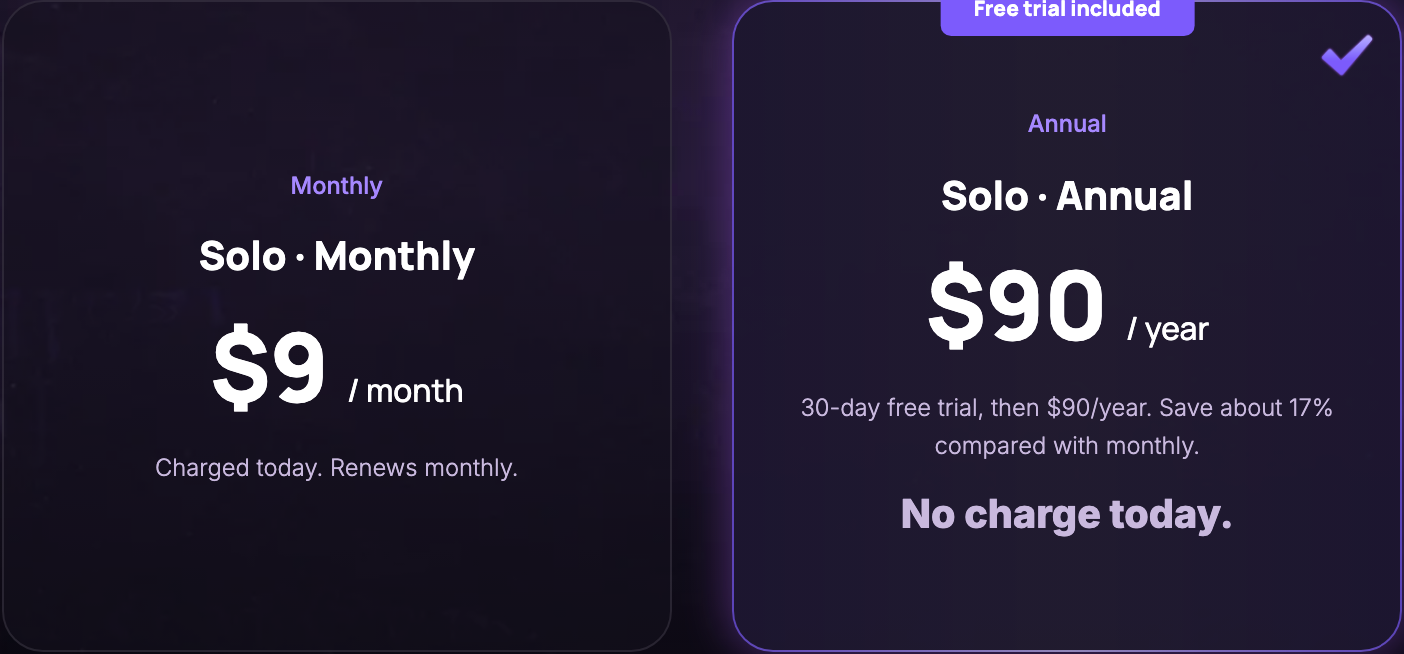
- Monthly — $9/month, charged today, renews monthly.
- Annual — $90/year, with a 30-day free trial first. Nothing is charged until the trial ends, and you can cancel before then.
Payment and email verification
You're then asked for a payment method, handled by Stripe — Ilena never sees or stores your card details:
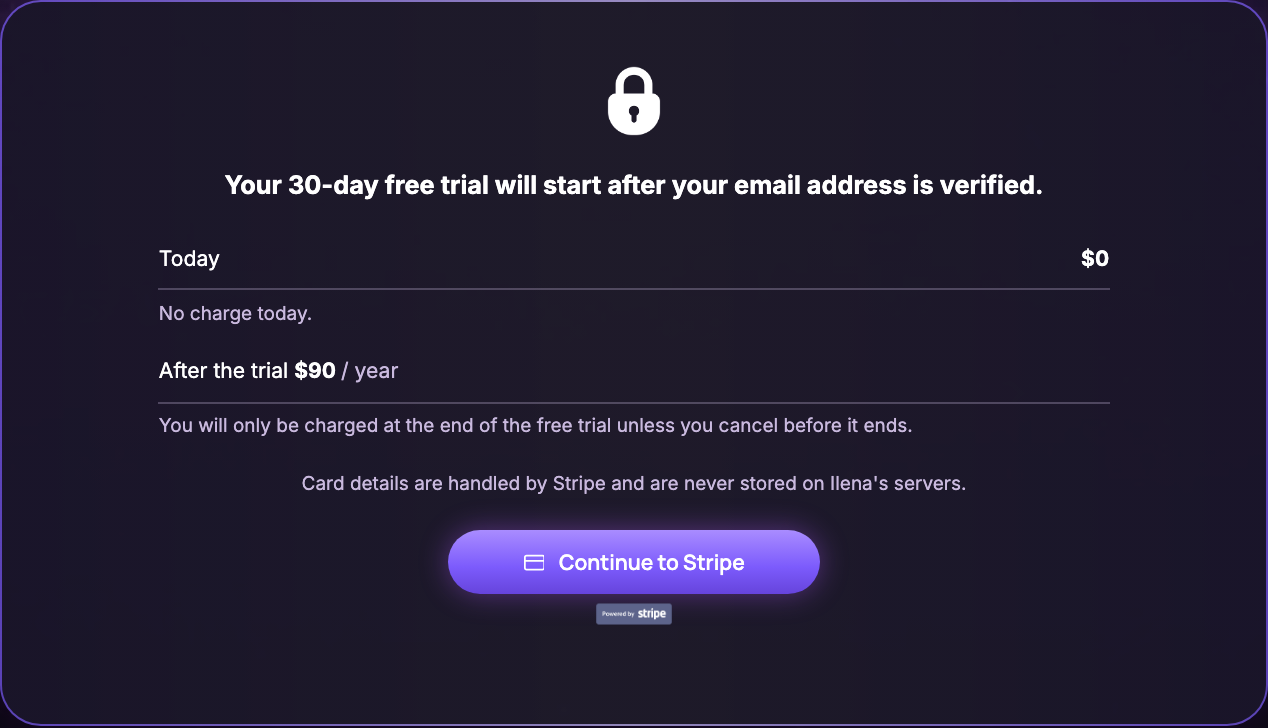
Clicking Continue to Stripe opens Stripe's own secure checkout page to collect your payment method. Once that's done, Ilena sends a verification email and asks you to confirm it:
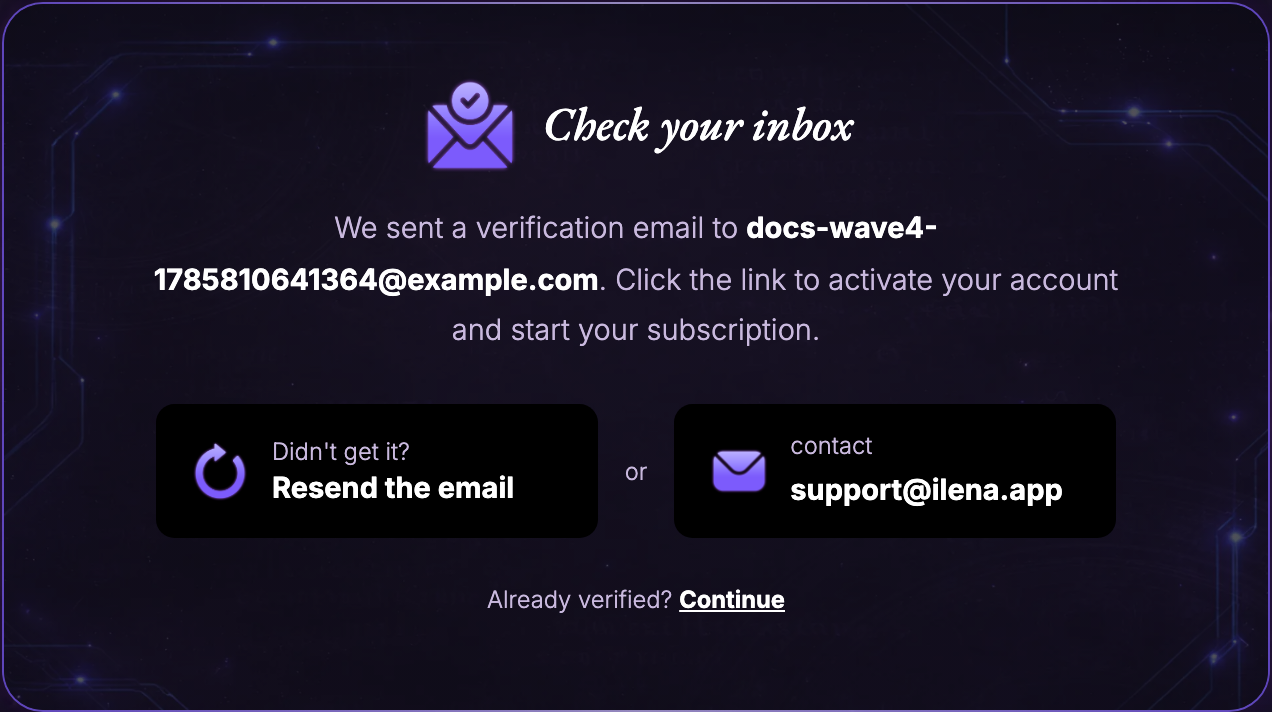
Clicking the link in that email is what actually activates your account and starts your subscription (and your free trial, if you chose annual) — adding a payment method alone doesn't start it. If the email doesn't arrive, use Resend the email on this screen, or reach [email protected].
Once your email is verified, you land in the editor ready to write. A last short survey ("How did you hear about us?") appears first — it's optional and doesn't block anything.
What I couldn't verify here
On stage, the payment step redirects to a stubbed checkout page rather than Stripe's real one, so this page describes the step you reach and the information it shows, not what Stripe's own page looks like — that's unchanged product behaviour outside Ilena, not something these docs need to illustrate.